Monitoring
Monitoring is Cosma watching the things that quietly break — conversion tracking that drops out, and budget bleeding into terms that never convert. Set it up once per client and it runs in the background.
Conversion monitoring
Conversion data is the foundation of every ROAS and CPA number you report. When a pixel breaks or a conversion action stops firing, your reporting silently goes wrong. Conversion monitoring catches that.
Where to find it
Open Client Settings → Monitoring. You'll see any existing rules and a button to add a new one. Rules are per-client.
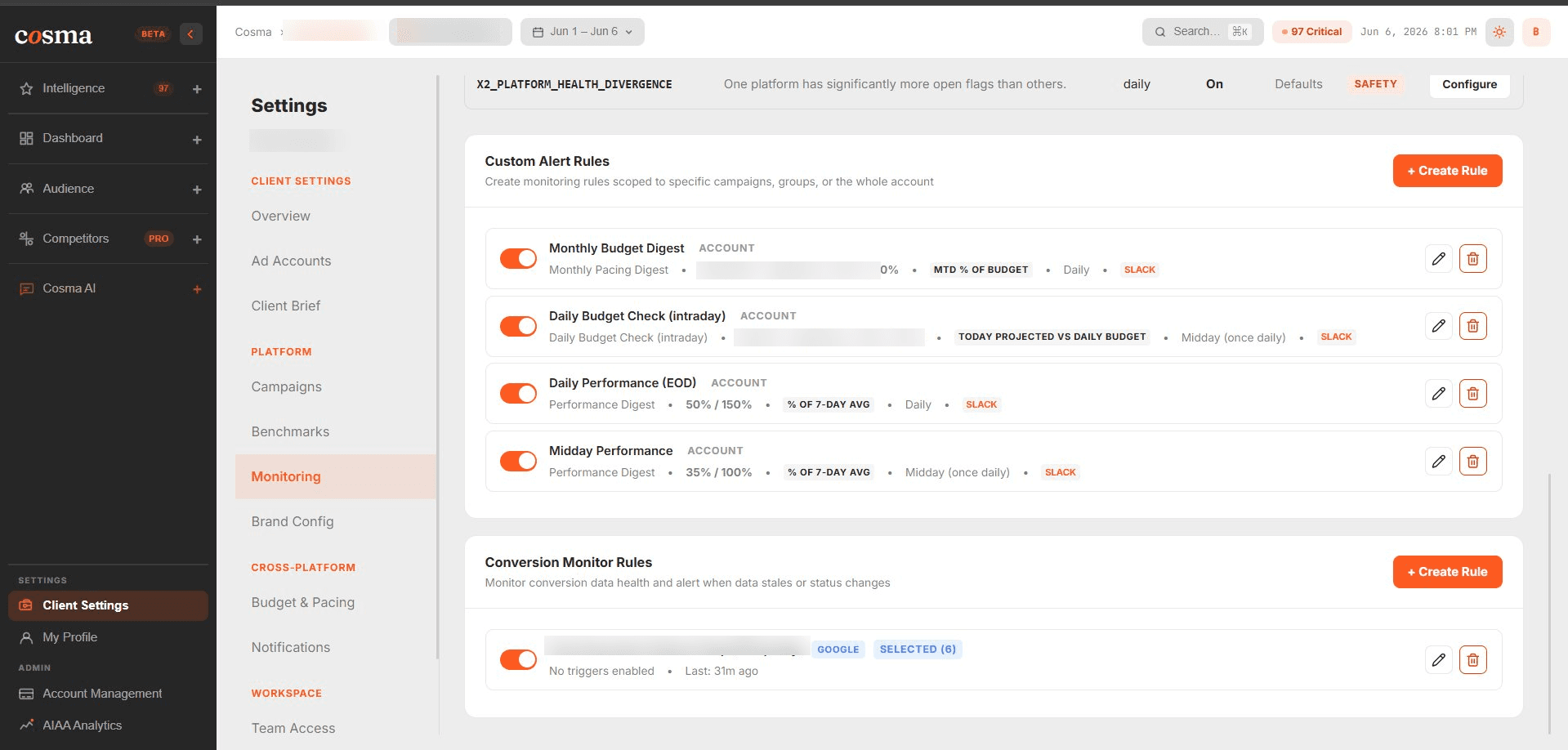
Create a conversion monitor rule
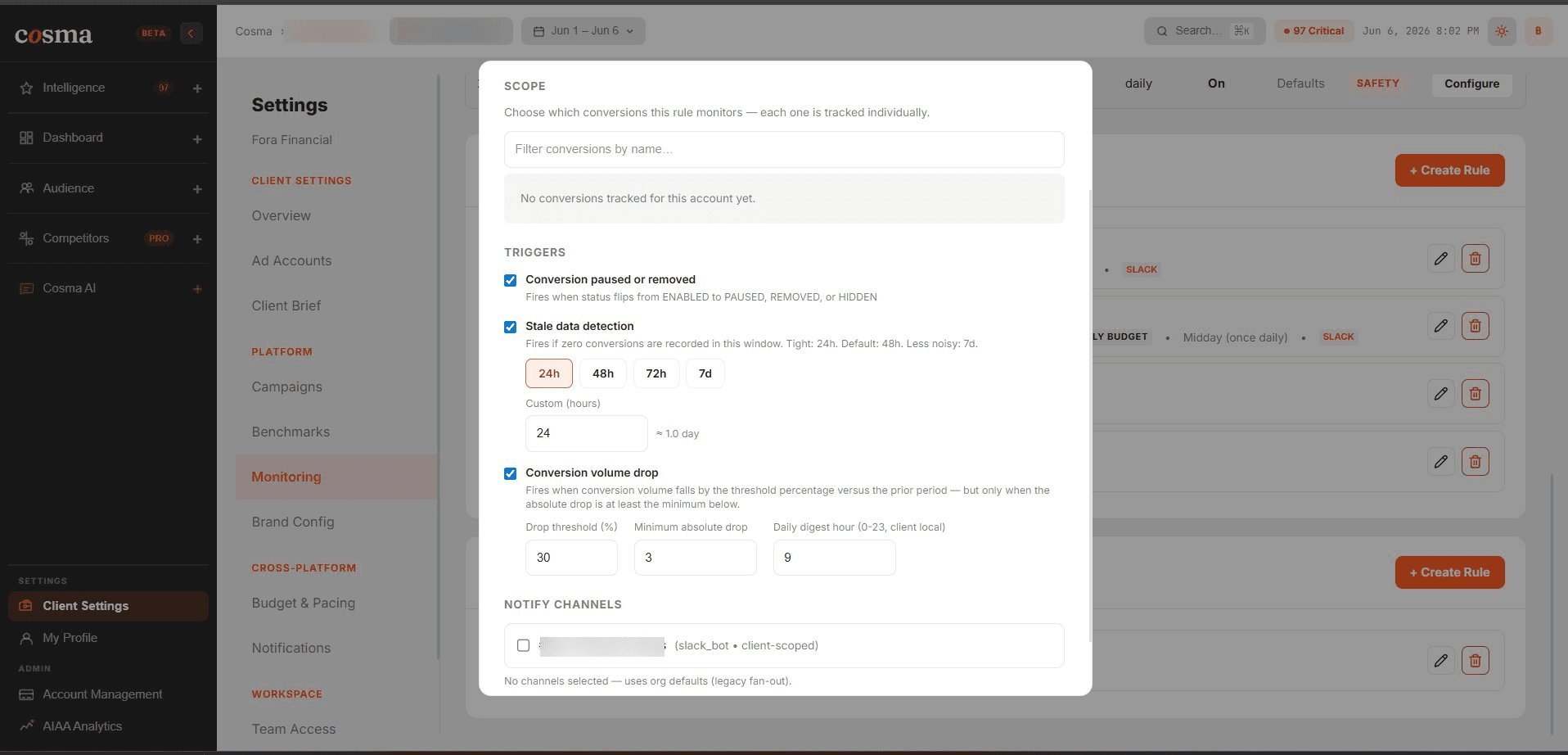
What you'll get
When a monitored conversion drops past your threshold, Cosma raises a flag on the brief and (if you've set a channel) sends an alert. The daily conversion digest summarizes any volume drops across the account.
Wasted-spend audit
The wasted-spend audit surfaces budget going to search terms, placements, and audiences that spend but never convert — the classic leak every account accumulates.
It runs automatically across your connected platforms and refreshes regularly. You'll find the wasted-spend widget on your Dashboard and in the Save Money pillar. While it's building you'll see a spinner; once ready, a “Last updated” badge shows how fresh it is.
Recommended setup
- Add a conversion monitor for each client's primary conversion action on every connected platform.
- Pair it with a delivery channel so drops reach Slack or email immediately.
- Review the wasted-spend list weekly — it's where the fastest savings usually are.
That completes the core setup. Head back to the docs home any time, or jump to the Morning Brief guide.